
Build a Cat vs Dog Classifier: Your First AI Project
The cat vs dog classifier is the "Hello World" of AI image classification—and for good reason! It's simple, fun, and teaches all the fundamental concepts of how AI learns to recognize images. Best of all, with Kekula's AI Blox, kids can build it in minutes without writing a single line of code.
In this tutorial, we'll walk through creating an AI that can tell the difference between cats and dogs. It's the perfect first project for anyone new to AI!
Why Start with Cats vs Dogs?
This classic project is ideal for beginners because:
- Everyone knows cats and dogs – No specialized knowledge needed
- Clear visual differences – Ears, snouts, body shapes make them easy to distinguish
- Easy to find images – Millions of cat and dog photos available online
- Instant gratification – See AI learning in real-time with familiar subjects
- Real-world relevance – Same technique used in medical imaging, security systems, and more
What You'll Need
- A Kekula account (sign up free)
- 15-20 images of cats and 15-20 images of dogs (easily found online or use your own pet photos!)
- About 10-15 minutes
Step 1: Create a New AI Blox Notebook
Log into Kekula and navigate to AI Blox. Click Create New Notebook and give it a name like "Cat vs Dog Classifier" or "Pet Detector."
You'll see a blank canvas where you can drag and drop AI blocks. Think of it like building with LEGO—each block does one thing, and you connect them together to create something amazing.
Step 2: Upload Your Training Images
Add a File Upload block to your notebook. This is where you'll upload images of cats and dogs to train your AI.
Tips for gathering good training data:
- Aim for 15-20 images per category (cats and dogs)
- Use variety: different breeds, colors, sizes, and poses
- Include close-ups and full-body shots
- Mix indoor and outdoor photos
- Avoid images with both cats AND dogs in the same photo
- Keep images clear and well-lit
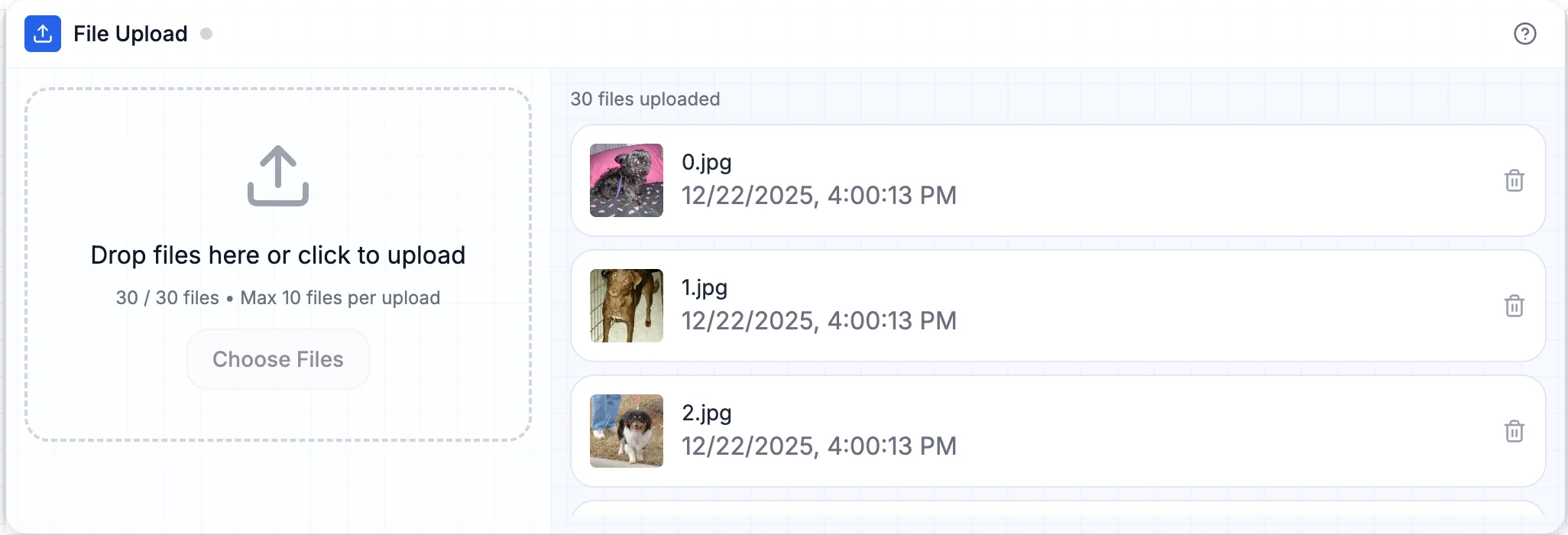
File Upload block with cat and dog images ready for labeling
Teaching moment: Explain that AI learns by finding patterns in data. The more diverse your examples, the better the AI will perform on new images it hasn't seen before!
Step 3: Label Your Images with Dataset Manager
Connect the File Upload block to a Dataset Manager block. This is where you'll teach the AI which images are cats and which are dogs.
Here's the labeling process:
- In the Dataset Manager, you'll see all your uploaded images
- Select all the cat images (you can select multiple at once)
- Click "Label Selected" and type "Cat"
- Now select all the dog images
- Click "Label Selected" and type "Dog"
- Review your labels to ensure everything is correct
- The Dataset Manager shows you the count for each category
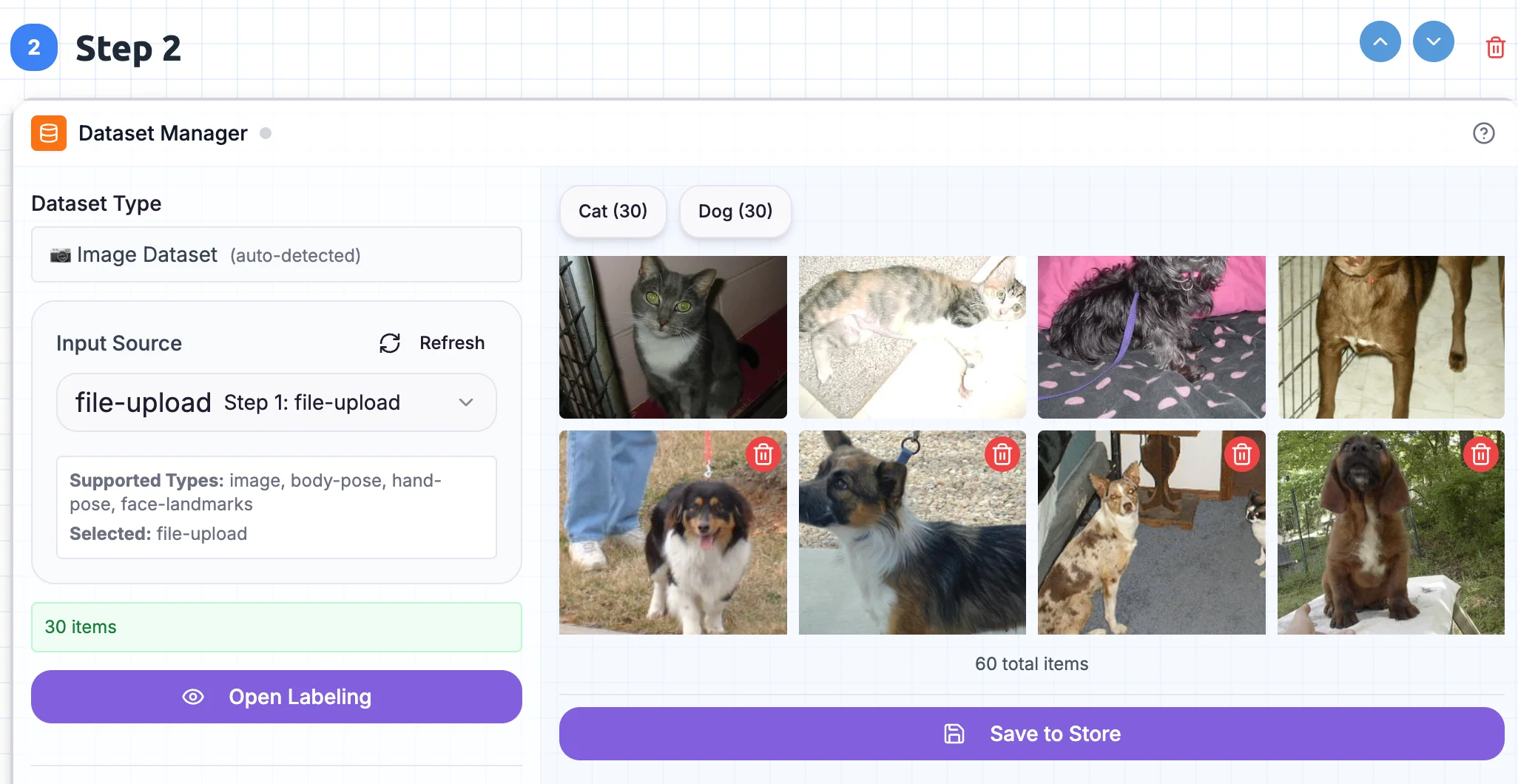
Dataset Manager with cats and dogs labeled and organized
Teaching moment: This is called "supervised learning"—you're supervising (teaching) the AI by showing it examples with correct labels. The AI will learn to recognize patterns that distinguish cats from dogs!
Step 4: Train Your AI Model
Now for the exciting part! Add a Training block and connect your Dataset Manager to it.
Here's what to do:
- Connect the Dataset Manager output to the Training block input
- Select "Image Classifier" as your model type
- Click the "Train" button
- Watch the training progress in real-time!
- You'll see accuracy metrics improving as the AI learns
- Training typically takes 1-2 minutes
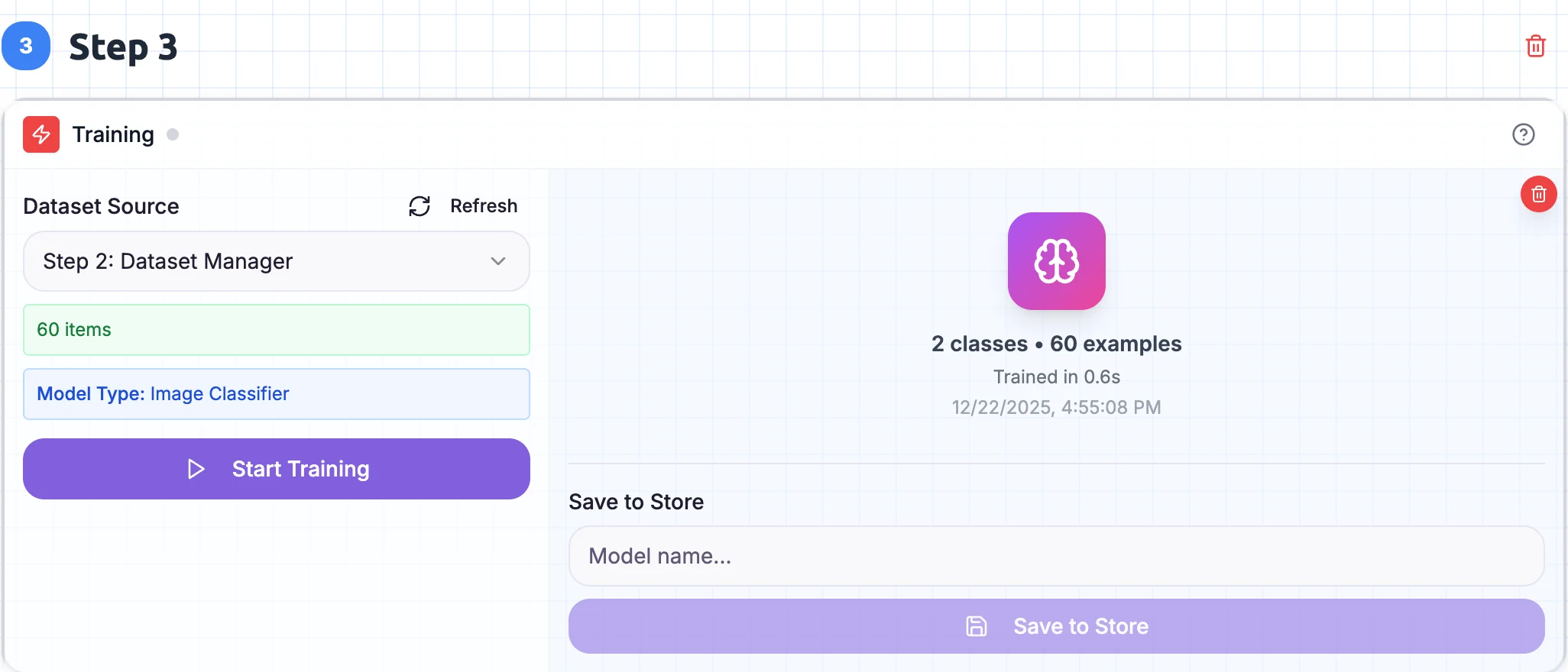
Training block showing the AI learning to distinguish cats from dogs
Teaching moment: During training, the AI is analyzing thousands of tiny details—ear shapes, nose structures, fur patterns, body proportions—to learn what makes a cat a cat and a dog a dog. It's finding patterns that help it make accurate predictions!
Step 5: Test Your Classifier with Inference
Time to see your AI in action! Add an Inference block and connect your trained model to it.
Here's how to test it:
- Connect the Training block output to the Inference block input
- Switch to "App Mode" to create an interactive interface
- Upload a new cat or dog image (one the AI hasn't seen before)
- Watch the AI make its prediction!
- The Inference block shows the predicted label and confidence score
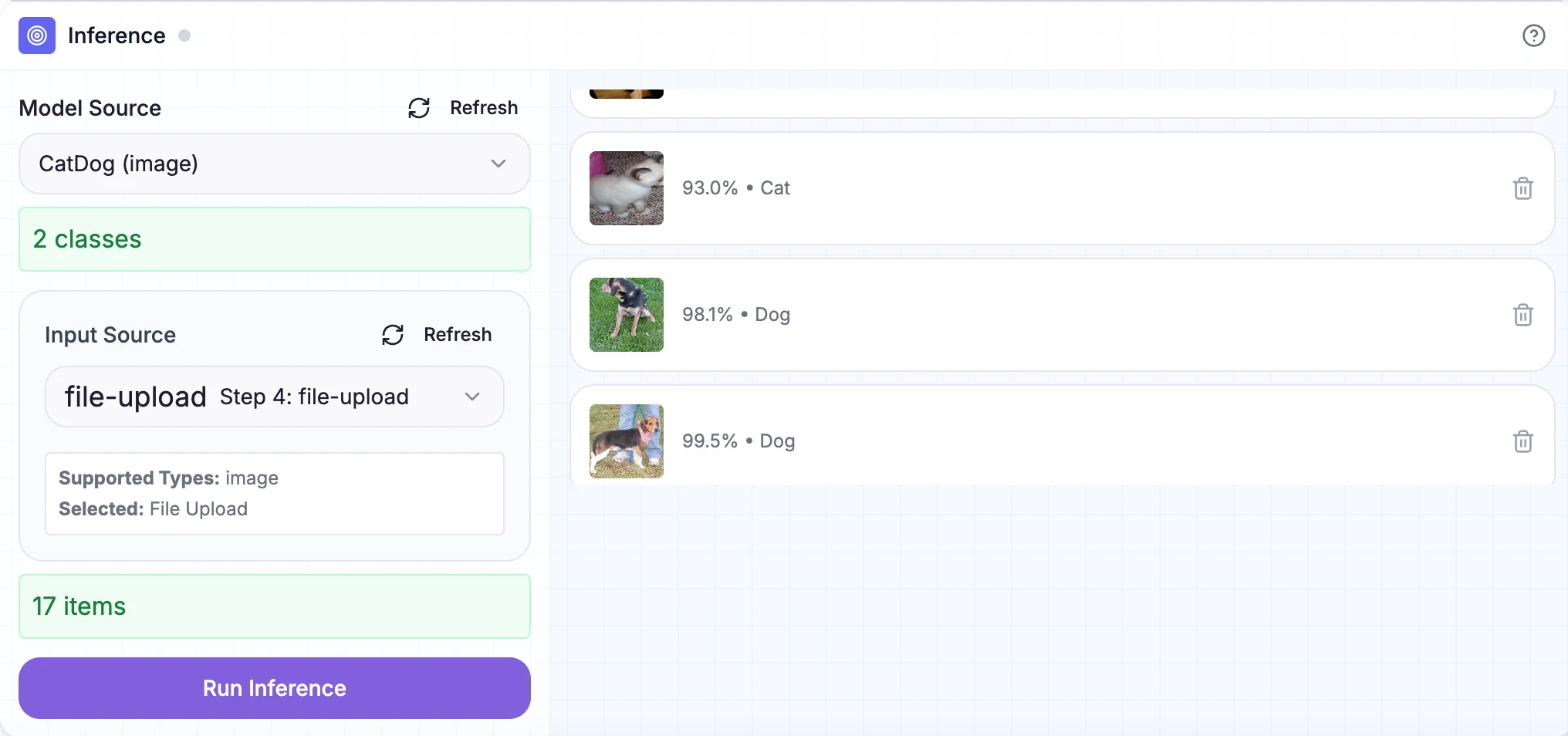
Inference block detecting cats and dogs with confidence scores
Try different images! Test with various breeds, different angles, and even tricky cases like fluffy cats or small dogs. See how confident the AI is in each prediction.
Teaching moment: The confidence score tells you how certain the AI is about its prediction. 95% confidence means it's very sure, while 60% means it's less certain. This is important in real-world AI applications where you need to know when to trust the AI's decision!
Summary: What You Built
Congratulations! You've built a real AI image classifier that can tell cats and dogs apart. Here's what you accomplished:
- Collected training data – Gathered diverse images of cats and dogs
- Labeled your dataset – Taught the AI which images are which
- Trained an AI model – Watched the AI learn patterns from your labeled data
- Made predictions – Used Inference to classify new images
- Understood core AI concepts – Supervised learning, training vs. inference, confidence scores
Key Takeaways
Through this hands-on project, you learned that:
- AI learns from examples – Quality and variety of training data matter
- Labeling is crucial – Supervised learning requires accurate labels
- Training creates a reusable model – Train once, use many times
- Confidence scores matter – AI tells you how certain it is about predictions
- Testing is essential – Always test with new data the AI hasn't seen
Ready to build more? Head over to Kekula's AI Bloxand start creating! If you don't have an account yet, you can sign up free.
Have questions or want to share what you built? Reach out to us at support@kekula.ai—we'd love to see your AI creations! 🐱🐶